See what a DST will do before you sew it
Open a DST, PES, EXP, JEF, VP3, EMB or EPS on the shop floor. Score it out of 10, convert one machine's format to another, and follow your orders. All 19 tools are free, need no account, and run on the phone with no signal.
Or use the same tools in your browser
Android today, iOS coming soon. On an iPhone or a desktop, every tool already runs in the browser with nothing to install.
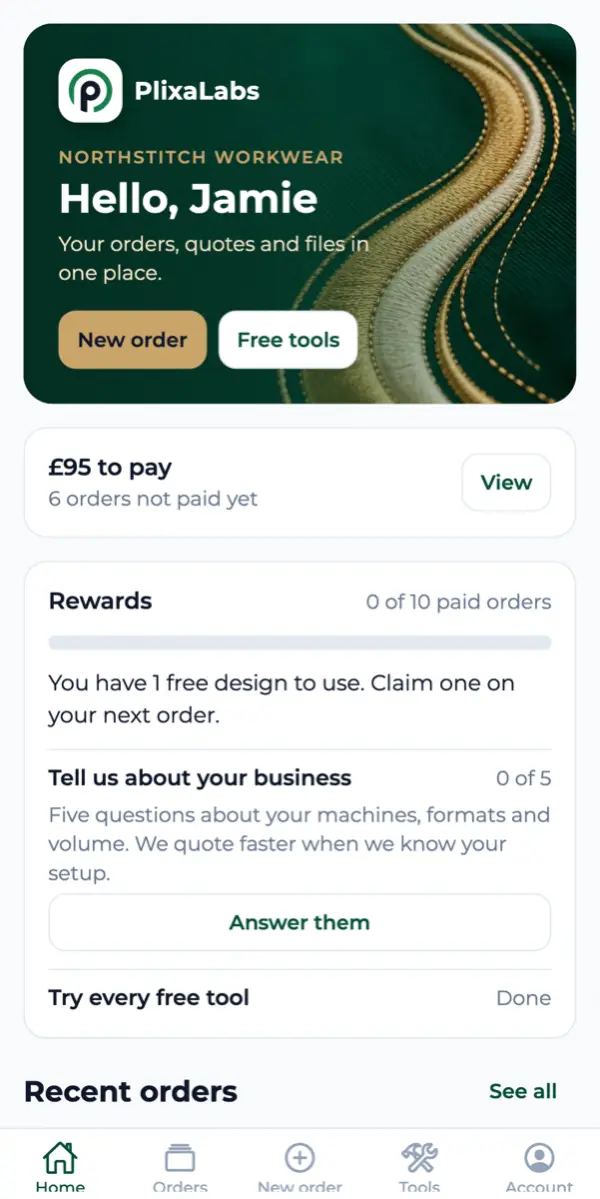
The file analyser
It finds what a preview cannot show you
A picture of a design tells you how it looks. It does not tell you what the machine will do with it.
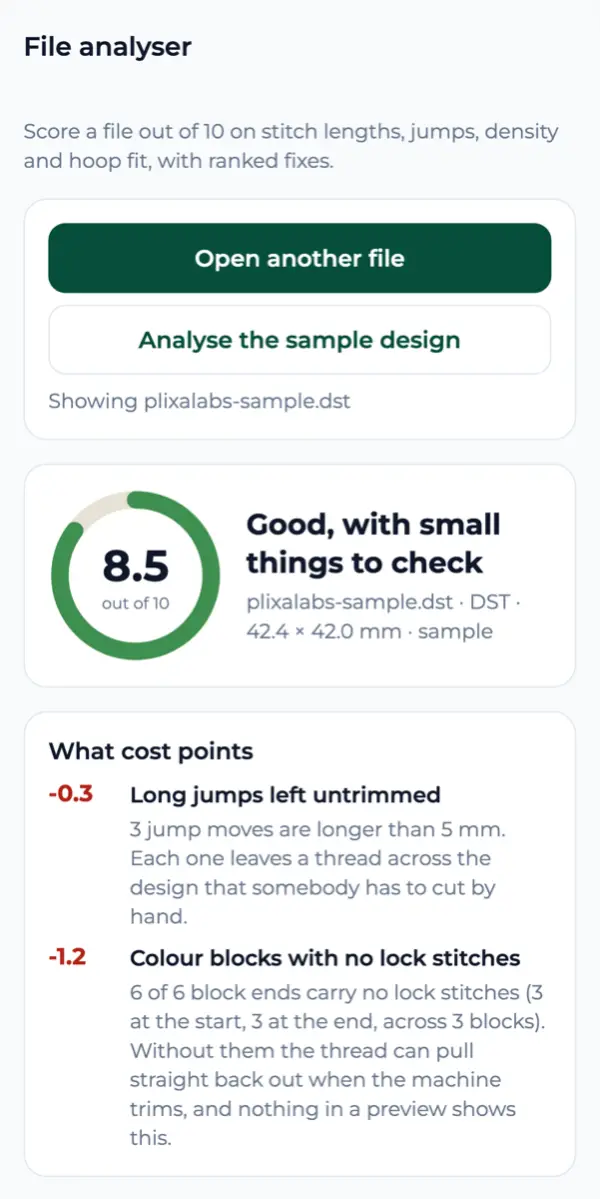
Load a file and the app scores it out of 10 on stitch lengths, jumps, density and hoop fit, then ranks what to fix. These are the findings on the sample design in the screenshot.
- -0.3 Long jumps left untrimmed Three jump moves run over 5 mm. Each one leaves a thread across the design for somebody to cut by hand.
- -1.2 Colour blocks with no lock stitches Six block ends out of six carry no locks. The thread can pull straight back out when the machine trims, and nothing in a preview shows it.
That is one garment and one machine run you do not lose. The file never leaves the phone: the analysis runs on the handset.
Watch it stitch out, in your hand
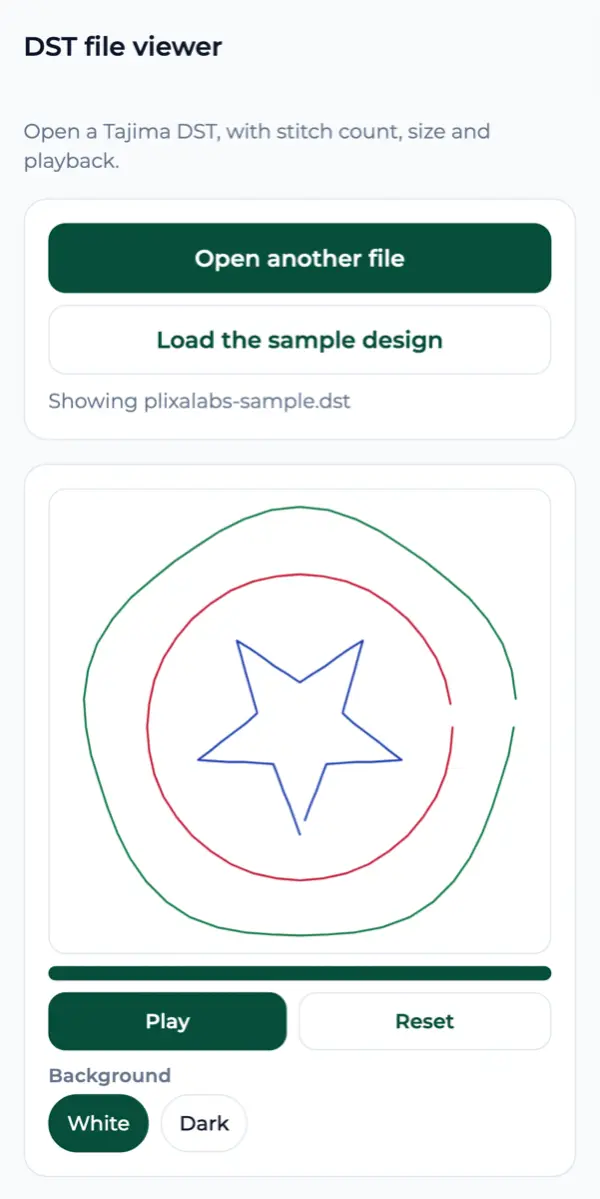
The DST viewer draws a Tajima file stitch by stitch, with the stitch count and the finished size, and plays the whole run back so you can see the path the needle takes. Switch the background to dark to judge a design meant for a black garment.
PES, EXP, JEF, VP3 and EMB have viewers of their own, and the converter writes DST, PES and EXP from any of them.
Every tool
All 19 tools, free and offline
No account, no upload, no signal needed. The same tools this site runs in the browser.
Open a file
- DST file viewer Open a Tajima DST, with stitch count, size and playback.
- PES file viewer Open a Brother PES in the thread colours the file stores.
- EXP file viewer Open a Melco EXP. It carries no header, so the size is measured from the stitches.
- JEF file viewer Open a Janome JEF, with its Janome thread numbers and hoop.
- VP3 file viewer Open a Pfaff or Husqvarna VP3, with the thread brand and catalogue number.
- EMB file viewer Open a Wilcom EMB: its preview, stitch count, size, threads and machine.
- AI and EPS viewer Open vector artwork and see whether it is ready to digitize.
- File converter Convert a DST, PES or EXP to another machine's format.
Check a file before you send it
- File analyzer Score a file out of 10 on stitch lengths, jumps, density and hoop fit, with ranked fixes.
- File info reader Size, stitch count, colors and header of a DST, PES, EXP or JEF.
- Color sequence sheet Every color block in sewing order, with stitches and thread needed.
- Minimum text size checker Whether lettering is large enough to sew cleanly.
Plan and price a job
- Pricing calculator Price a job per piece from stitches, quantity, your rates and garment cost.
- Thread calculator Top and bobbin thread an order uses, and how many cones to buy.
- Hoop size finder The smallest hoop a design fits, with room for the presser foot.
- Stitch estimator Estimate the stitch count of a design before it is digitized.
- Run time calculator How long a design takes to sew at your machine speed.
- Density by fabric Stitch spacing, pull compensation, stabilizer and needle per fabric.
- Thread color matcher Match a color across Madeira, Isacord and other thread charts.
Your orders, wherever you are
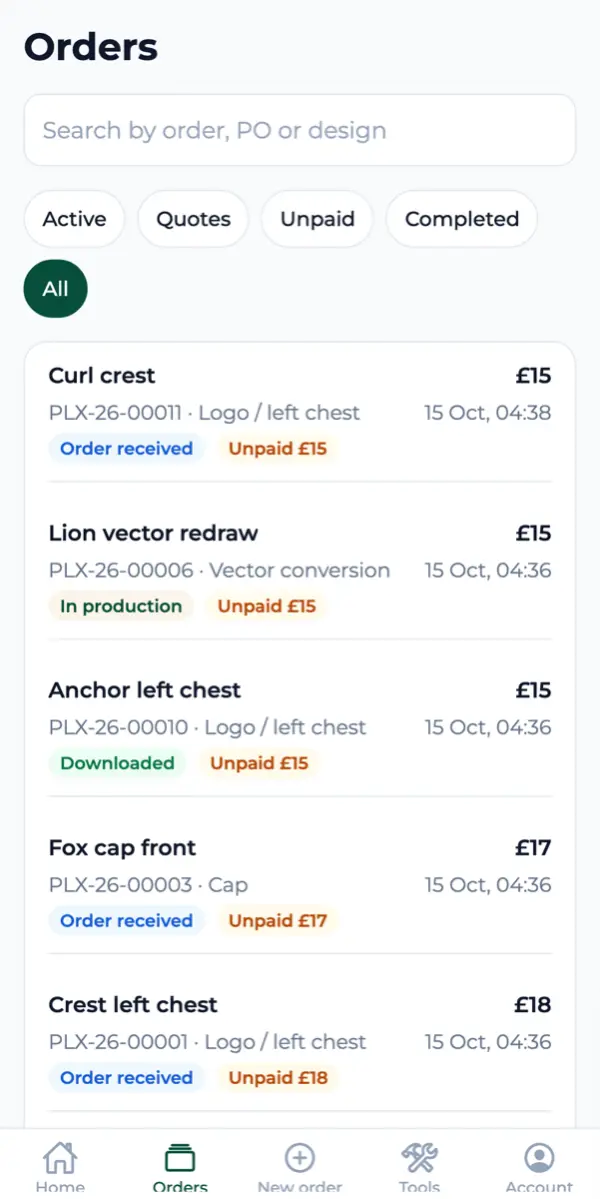
Sign in with your email. There is no password to remember. Every order carries its stage and its price, and you can search by order number, your own PO or the design name.
- Send artworkStart an order from the phone, with the files already on it.
- Approve a quoteSee the price and approve it, and pay by card where that applies.
- Follow the workOrder received, in production, downloaded, with what is still unpaid.
- Take your filesFinished files, ready to send straight to the machine.
The same account as My Account on this site. Sign in on either and you see the same orders.
Put it on the shop floor
Free to download, free to use, and the tools work before you ever sign in.